SimBayLab is reader-supported. When you buy through links on this page, we may earn a commission at no extra cost to you. We don't test products hands-on: our picks are based on manufacturer specs, published tests and owner reports. How we research.
This guide covers what is specific to garages. For the full floor plan and ceiling test, see our room dimensions and ceiling height guides.
Quick Answer
- Door and opener: measure clearance under the open door and the opener rail, not the bare ceiling.
- Car: Trackman warns a parked car near the sim "could be hit by bounce-back balls". Retractable or freestanding screens make sharing easier.
- Temperature: Garmin rates the R10 and R50 for 14 to 131°F, but Rapsodo's MLM2PRO starts at 41°F. BenQ and Optoma rate their golf projectors for 32 to 104°F (0 to 40°C).
- Condensation: Foresight warns cold-overnight, warm-in-use cycles can damage internals.
- Electrical: plug-in gear on existing outlets only; hire a licensed electrician for anything new.
Does Your Garage Have Room for a Golf Simulator?
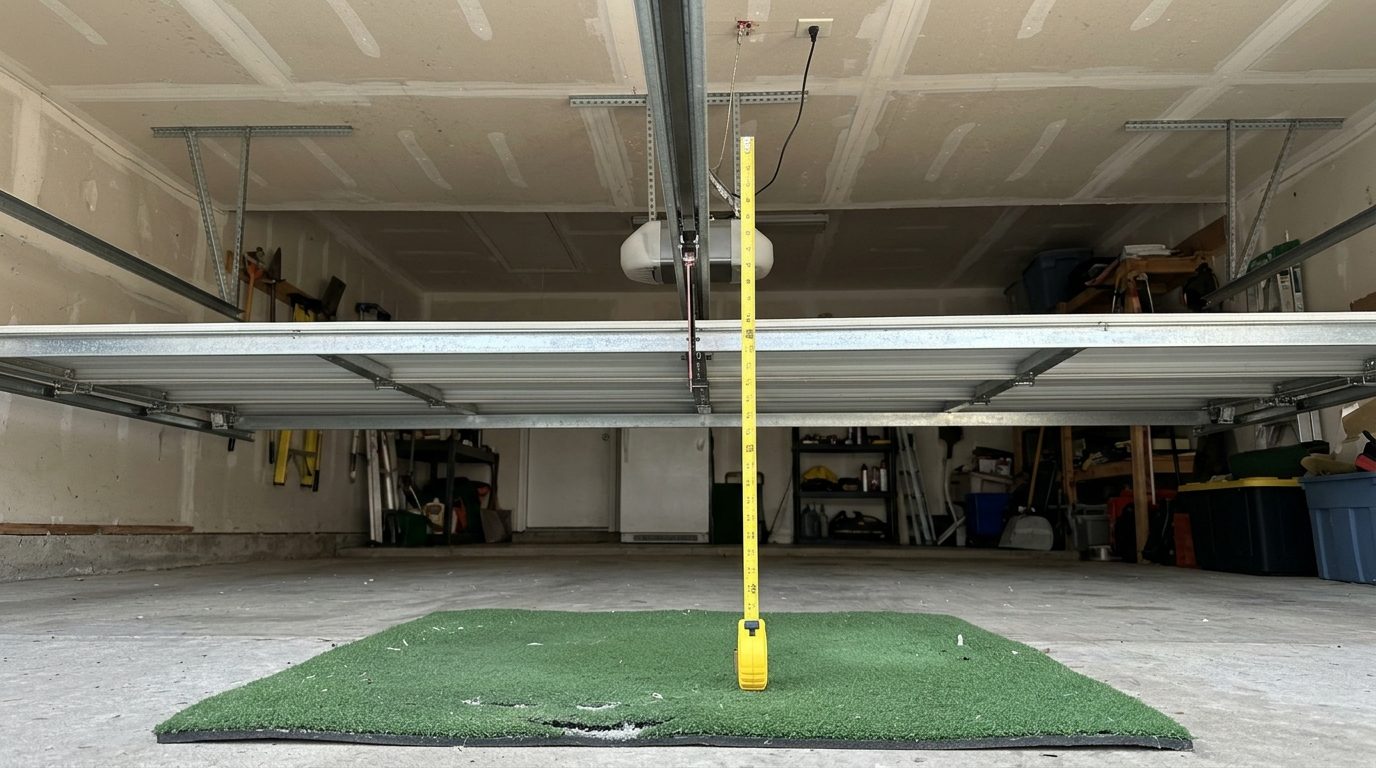
Trackman's garage post gives "a min. ceiling height of 9-10 ft", "a width of 10-15 ft" and "a depth of 15-20 ft". It adds that Trackman 4 setups need more depth because the radar sits behind you.
Measure your garage at its tightest points: under the opener rail, between storage shelves, and past the steps into the house. Our golf simulator room dimensions guide lists each launch monitor maker's published distances, and our ceiling height for golf simulator guide walks through a safe swing test.
The Garage Door and Opener Track
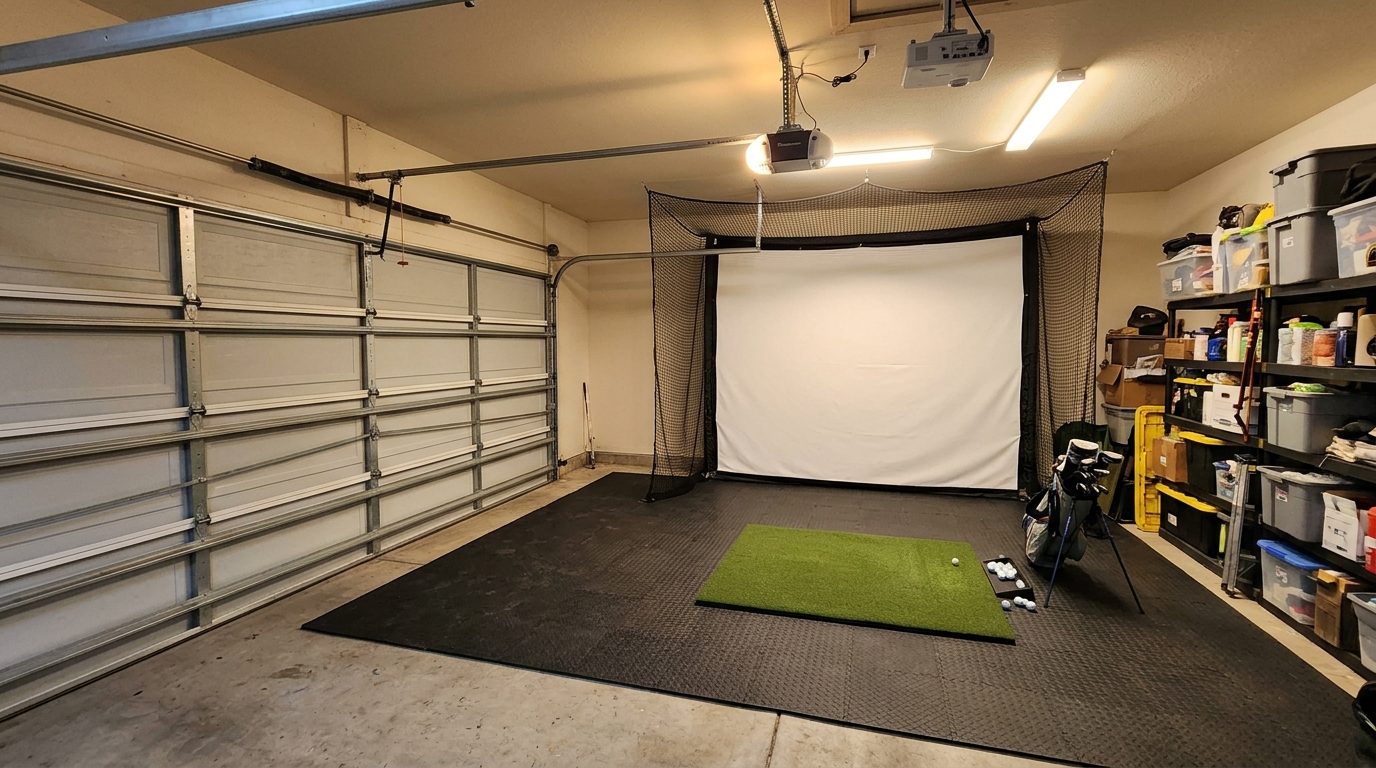
The garage door is the biggest difference from a basement. When it is open, the panels sit flat under the ceiling, and the opener rail usually runs down the middle of the bay. That is often right above where you would swing.
- Measure under the obstacle: your real ceiling is the bottom of the open door, the rail or the opener motor, whichever is lowest over your swing.
- Choose the hitting direction: hitting toward the back wall keeps the screen out of the door's path. Hitting toward the door means the screen must move or retract before the door opens.
- Protect the door: Trackman says screens and enclosures "are used to prevent balls from damaging walls, windows or the garage doors."
- Leave door hardware to pros: if you want the rail moved or a wall-mounted opener instead, have a garage door technician do it. Springs and tracks are not a DIY job.
Also check that nothing you mount, like a projector or a screen housing, sits where the door travels. Lock out the door opener while you play, so nobody opens it into your screen or swing.
Parking a Car and Sharing the Space
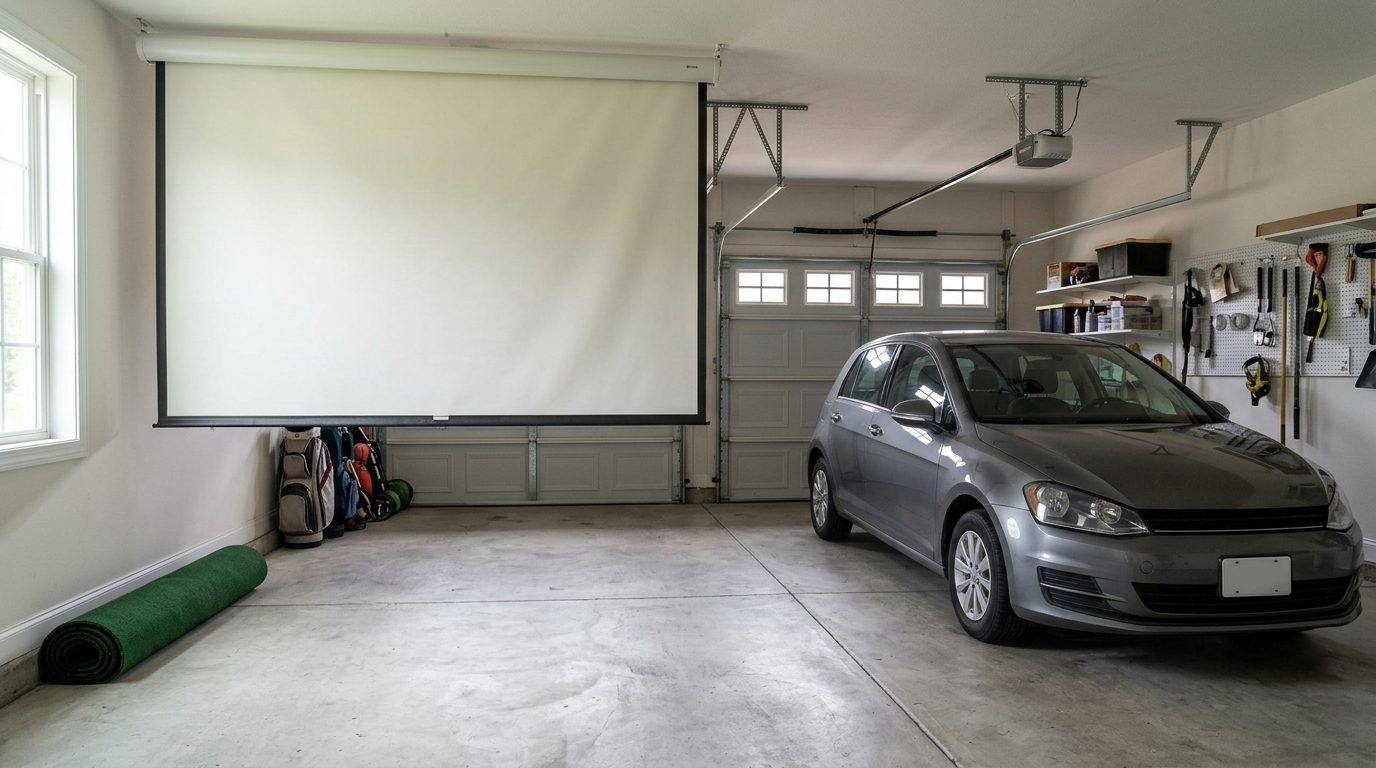
Trackman is blunt about it: "If your garage is short on space, you might have to move the car to create enough room while playing." It also warns that a car parked near the simulator could be hit by bounce-back balls.
If the car stays in, plan for gear that packs away. Two common routes:
- Retractable screens. The HomeCourse ProScreen 180 mounts about 8'6" high and 10 ft wide (10'6" with its Pro Arms), with a battery motor and wireless remote. Shop Indoor Golf lists it at $2,299 regular price, on sale for $1,999 at the time of writing, and says to mount it "at least 6 inches from the ceiling and 18 inches from the wall."
- Freestanding bays. The Net Return Simulator Bay uses a freestanding aluminum frame with "No tools needed". The Bay 10 is $1,595 regular price, on sale for $1,276 at the time of writing.
Our golf simulator enclosure guide compares full kits, and our golf impact screen guide covers screens on their own.
Temperature: What Manufacturers Publish
Most garages are not heated or cooled like the house. Below are the operating ranges the makers print in the manuals and pages we read. Where a manual gives no range, the table says so.
Device: Garmin Approach R10 · Type: Launch monitor · Operating range: 14 to 131°F (-10 to 55°C) · Other published note: Charging 32 to 113°F
Device: Garmin Approach R50 · Type: Launch monitor · Operating range: 14 to 131°F (-10 to 55°C) · Other published note: Charging 37 to 117°F; may overheat
Device: BenQ AH500ST, AK700ST · Type: Projector · Operating range: 32 to 104°F · Other published note: IP5X dustproof sealed engine
Device: Optoma GT2300HDR, GT2400HDR · Type: Projector · Operating range: 0 to 40°C · Other published note: Max humidity 80%; IP6X
Device: Rapsodo MLM2PRO · Type: Launch monitor · Operating range: 41 to 122°F (5 to 50°C) · Other published note: Charging 41 to 122°F
Device: FlightScope Mevo Gen2 · Type: Launch monitor · Operating range: 0 to 40°C (32 to 104°F) · Other published note: Humidity 30-70%; store 60-70°F
Device: SkyTrak ST MAX · Type: Launch monitor · Operating range: No range in user guide · Other published note: "Don't expose ... to extreme temperatures"
Device: Bushnell Launch Pro · Type: Launch monitor · Operating range: No range in manual · Other published note: No high humidity, smoke or dust
Device: Uneekor EYE XO2 · Type: Launch monitor · Operating range: No range in manual · Other published note: No high humidity
Sources: the Garmin Approach R10 and Garmin Approach R50 owner's manuals, the BenQ AH500ST and BenQ AK700ST pages, the Optoma GT2400HDR page, the Rapsodo MLM2PRO and FlightScope Mevo Gen2 user manuals, the SkyTrak ST MAX user guide, the Bushnell Launch Pro manual and the Uneekor EYE XO2 manual, read in November 2026. The Mevo Gen2 range is in Celsius only; 0 to 40°C is 32 to 104°F (our conversion).
Garmin also says not to store its units "where prolonged exposure to extreme temperatures can occur", and FlightScope says to store the Mevo Gen2 indoors, "ideally between 60°-70° F." Your PC, tablet and phone have their own limits, so check those too.
Golf Balls in a Cold Garage
A 2023 Golf.com article quoted the USGA's Steve Quintavalla saying cold storage actually slows a ball's aging, and that heat ("upwards of 80 degrees and above") is the bigger worry. A ball-maker spokesperson in the same article said not to leave balls in a garage or attic, and to protect them from humidity and wild temperature swings.
Storage is not the same as play, though. The same article says "golf balls perform worse when they are cold", and Quintavalla advises bringing cold-stored balls back to room temperature before you play them. The simple fix is to keep your sim balls inside the house.
Heating and Cooling
Trackman notes that "the temperature can increase" while you hit, "so a lower temperature might be preferred." If you add a heater or a fan, use plug-in units on existing outlets and follow the maker's clearance rules. A new circuit, a 240V heater or a mini-split is a job for a licensed electrician (and HVAC pro).
Condensation, Humidity and Dust
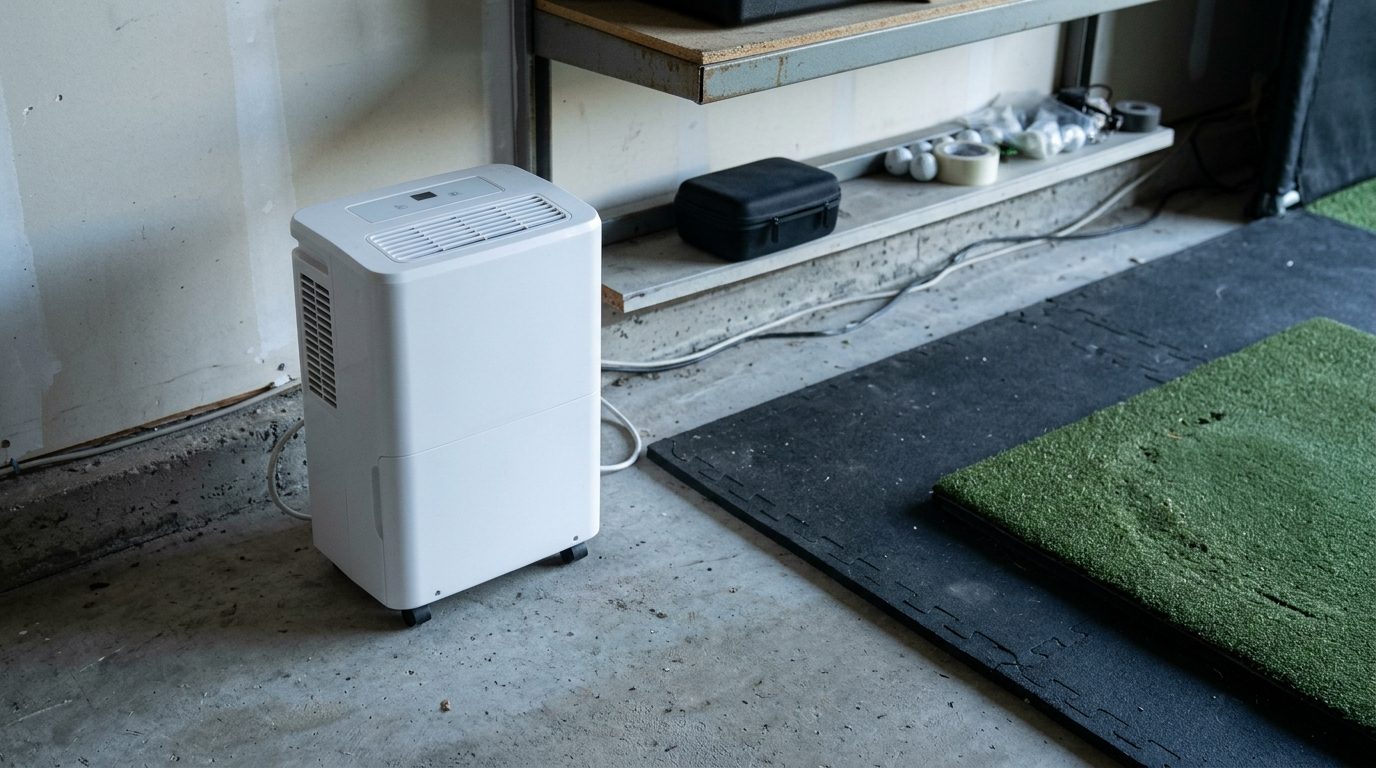
Foresight Sports warns that if simulator gear is "getting cold overnight and then warming up during the day while in use, this can cause condensation to develop within the hardware and potentially cause damage to internal components." A garage is exactly that kind of space.
- Portable units: one way to avoid the cold-warm cycle is to bring a battery launch monitor, tablet or laptop inside after each session.
- Humidity: Trackman suggests "a dehumidifier if your garage tends to get moist". Optoma lists 80% as its projectors' maximum humidity, FlightScope lists 30-70% for the Mevo Gen2, and Bushnell and Uneekor both warn against high humidity.
- Dust: BenQ markets an IP5X dustproof engine on the AH500ST and AK700ST, and Optoma lists IP6X for its GT2300HDR and GT2400HDR. SkyTrak asks you to keep the ST MAX lens clean and dry.
Cover fixed gear when you sweep, and avoid running power tools or car exhaust in the bay before a session. Keep balls and clubs clean: Carl's Place recommends "new, white golf balls" and clean clubs to protect the screen.
Flooring for a Garage Sim Bay
Trackman suggests protecting floors "from marks and scratches." A common approach is a hitting mat plus turf or rubber flooring over the slab.
Check the slab with a long level before you buy. Fiberbuilt asks for a firm, level surface for its mats, and Bushnell and SkyTrak want the unit level with the hitting surface. Garmin says the R50 compensates for uneven surfaces, so leveling is not required for that unit.
Lighting for Camera Units
Garages often have a bright door, windows and bare bulbs. Camera-based units can be sensitive to that, and Garmin's R50 manual gives specific tips:
- "Minimize the amount of direct sunlight hitting the front of the launch monitor."
- "Minimize the amount of direct sunlight hitting the club face", since it can hide the club sticker.
- "Avoid having reflective surfaces within view of the launch monitor camera."
For a garage, that means closing the door, covering windows that face the unit and keeping shiny tool chests and car paint out of the camera's view. Trackman adds that "Harsh shadows won't interfere with the sensors, but it might interfere with your swing or visuals on the screen."
Radar units have a different issue. FlightScope's Mevo+ page warns that air conditioners, fluorescent lights, fans, fridges, TVs and computers in front of the unit can interfere, which matters in garages with a spare freezer. For the projector, ambient light washes out the image, so our best projector for golf simulator guide covers brightness; Shop Indoor Golf sells its gray SIGPRO Premier screen for rooms with ambient light.
Garage Golf Simulator Safety Checklist
- Distance: Carl's Place says stand 10 to 12 ft from the screen; closer means more bounce-back.
- Gap behind the screen: Carl's Place says 12 to 16 in from the wall, which also keeps balls off the garage door.
- Padding and netting: Garmin's manuals ask for a padded frame, free space behind the net and a screen "high enough and extended enough" for high-lofted shots.
- Ricochet: Shop Indoor Golf says its SIG V2 has "no bottom bar to hit, which reduces ricochets from low and thin shots." Check where low shots land on any frame.
- Overhead: clear lights, the opener and storage racks from your swing.
- Mounts: screw ceiling mounts into joists per the mount maker's instructions.
- Electrical: plug in only to existing outlets; a licensed electrician handles new outlets or circuits.
- Traffic: lock the house door and the garage door while you play, so nobody walks into the swing.
FAQ
How big does a garage need to be for a golf simulator?
Trackman's garage guidance is a 9-10 ft minimum ceiling, 10-15 ft of width and 15-20 ft of depth. Radar units that sit behind you need the deeper end. Measure under the open door and opener rail, since that is often your real ceiling over the swing.
Can I still park my car in a garage with a golf simulator?
Often yes, if the screen packs away. Trackman notes you may need to move the car to play and warns a parked car can be hit by bounce-back. Retractable screens like the HomeCourse ProScreen 180 or freestanding bays make sharing the space easier.
Is it too cold in a garage for a golf simulator?
Check your manuals. Garmin rates the R10 and R50 down to 14°F, but Rapsodo's MLM2PRO only to 41°F, and BenQ and Optoma golf projectors to 32°F. Foresight warns that cold nights followed by warm sessions can cause condensation inside gear, so climate control or indoor storage helps.
Does a garage door get in the way of a golf simulator?
It can: the open door and opener rail often sit right above the swing, so measure under them, not the ceiling. Hitting toward the back wall keeps the screen out of the door's path. Have a garage door technician handle any change to the rail or opener.
What lighting works for a garage golf simulator?
Keep direct sunlight off the launch monitor and the club face, per Garmin's R50 manual, and keep reflective surfaces out of the camera's view. Close the door and cover windows. Trackman says harsh shadows won't affect its sensors but can bother your swing and the screen image.
Models mentioned in this article
Also compare: Hybrid (radar and camera) launch monitors · Launch monitors under $1,000